allGeo - gps time clock app
  • WORKFLOWS
    Workforce Monitoring Pre-payroll Processing Time with Payroll Integration Time with ERP Integration Compliance and Safety EVV Compliance
  • PLATFORM
  • CUSTOMERS
  • FREE TOOLS
    QR Code Generator Mobile Form Builder Calculator
  • RESOURCES
  • CONTACT
LOGIN SIGN UP

Sign Up for Trial ×

By submitting this form, I certify that I have read and agree to the allGeo Terms of Use and understand that my personal information is processed in accordance with Privacy Statement.

Time Tracking Software for Construction

Streamline Construction Field Operations and Payroll with allGeo's End-to-End Solutions: Time Tracking, Location Tracking, Clock-In/Clock-Out Automation, Mileage Tracking, and Job Scheduling for Efficient Workforce Management.
Time Tracking Software for Construction

Companies That Trust Us

levelup-color
amspec
mainstreet

Improve construction job-site management

Real-time GPS location tracking
Real-Time GPS Location Tracking

To avoid buddy punching

Automatic clock-in /clock-out
Automatic Clock-in /Clock-out

For accurate time and attendance

Mileage tracking
Mileage
Tracking

To manage business expenses with accuracy

Smart job scheduling
Smart
Job Scheduling

To assign tasks based on location and availability

allGeo Time Tracking Technology

allgeo

Geofencing

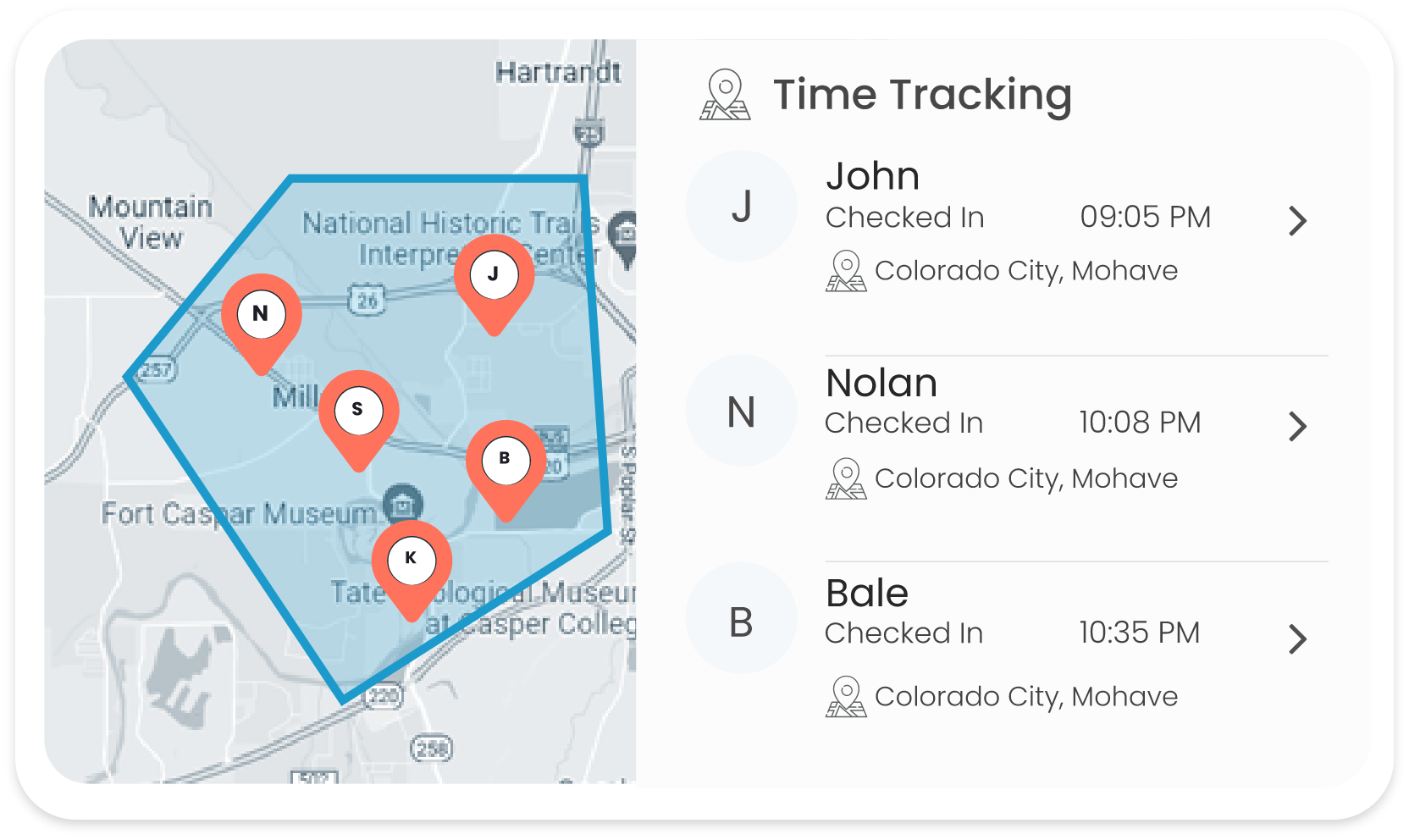
Build virtual boundaries around a real-world geographic area to capture employee clock in/clock out time. Monitor field employee movement to ensure safety and operations within designated areas.

allgeo

QR Code

allGeo’s QR code time tracking amplifies employees' time & attendance process with a GPS tag. Customize the QR code functionality for both task tracking and more precise attendance verification both indoor and outdoor.

allgeo

IVR Text

In poor network areas or if using a feature phone, record employee’s time and attendance with geotagged text messages or IVR phone calls. Customize language for text and IVR commands.

allgeo

Mobile App

Improve time tracking accuracy, reduce manual errors, and increase efficiency with the allGeo mobile app. Employees can clock in and out, view their work schedules, and track their hours worked using a mobile device.

Job site management with construction time tracking software

Zero-Touch Geofence Time Clock

Efficiently track construction time, manage labor, and control costs with automatic clock in clock out.
zero-touch-geofence-clock-out
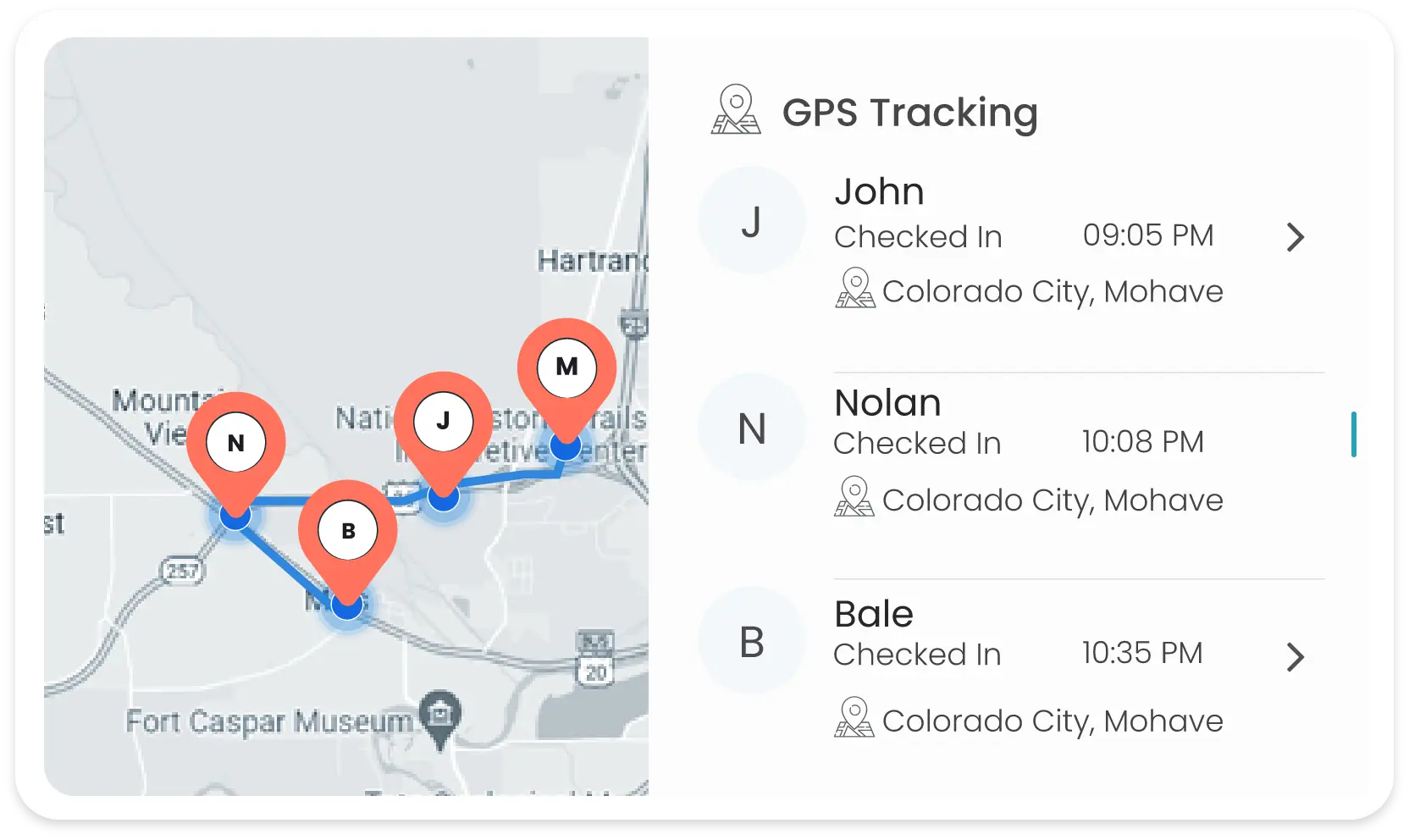
Location Restricted Clock-in/out

Define from where your employees can Clock In/Out by setting up a geographical perimeter
Location Restricted Clock-in/out
Crew Check-in

Streamline crew check-in process, ensuring accurate attendance records and efficient coordination of workforce across job sites.
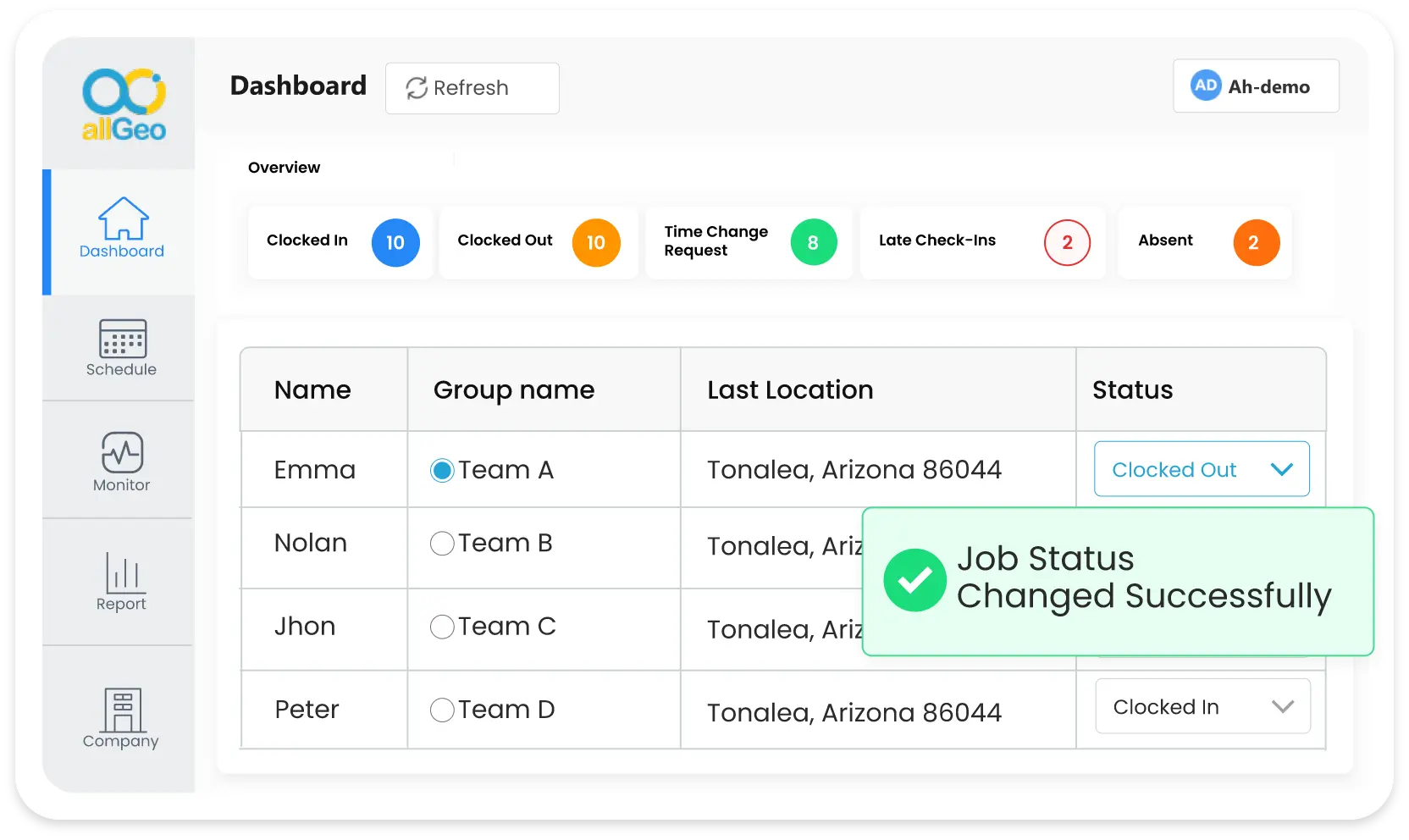
Crew Check-in
Alerts & Reminders

Set up and receive real-time notifications for employee lateness or early departure from job sites, ensuring task completion.
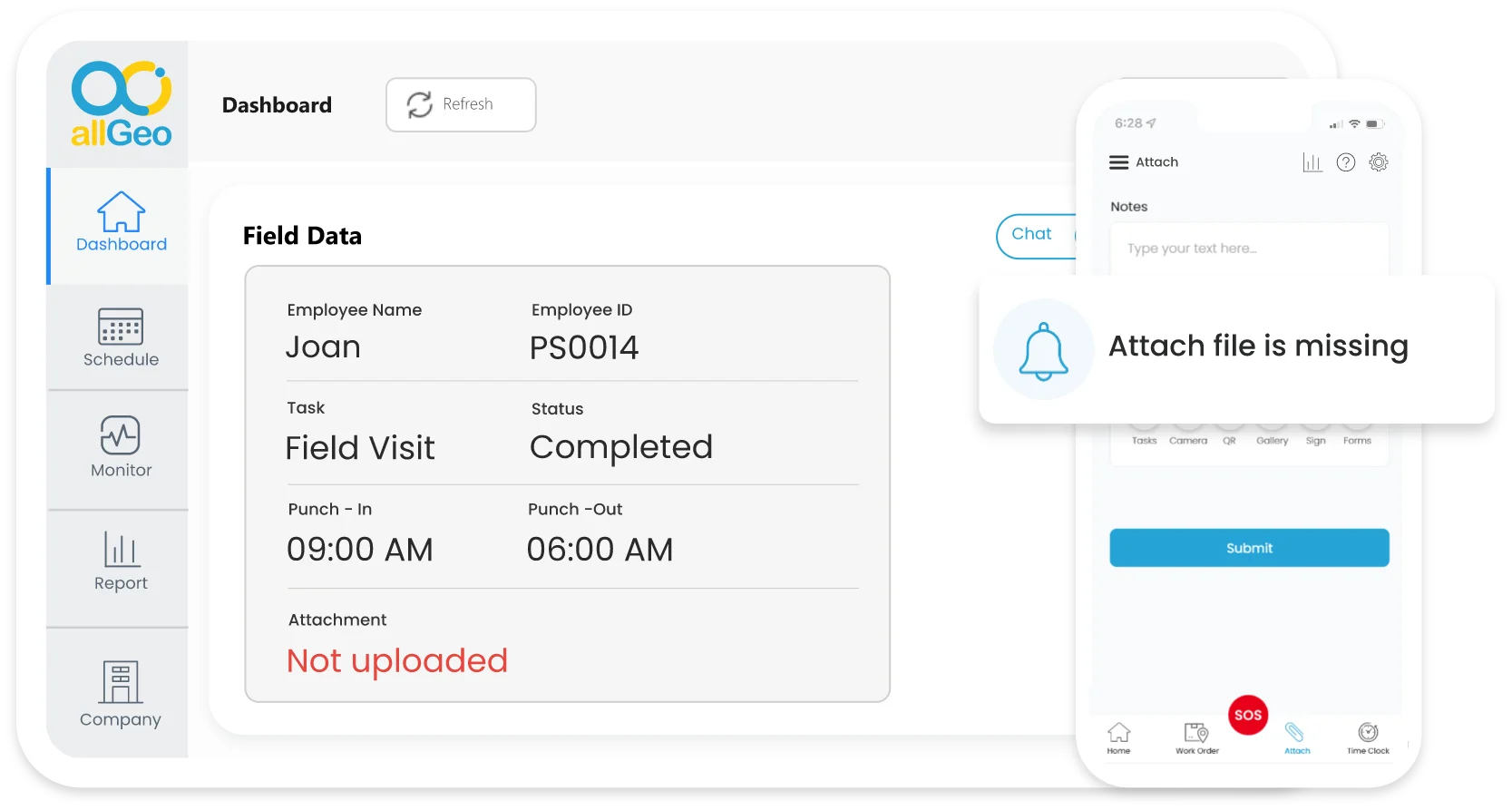
Alerts & Reminders
Field Data Collection

Capture more information using Notes, Tasks, Forms, Pictures, Signature, Scan and more!
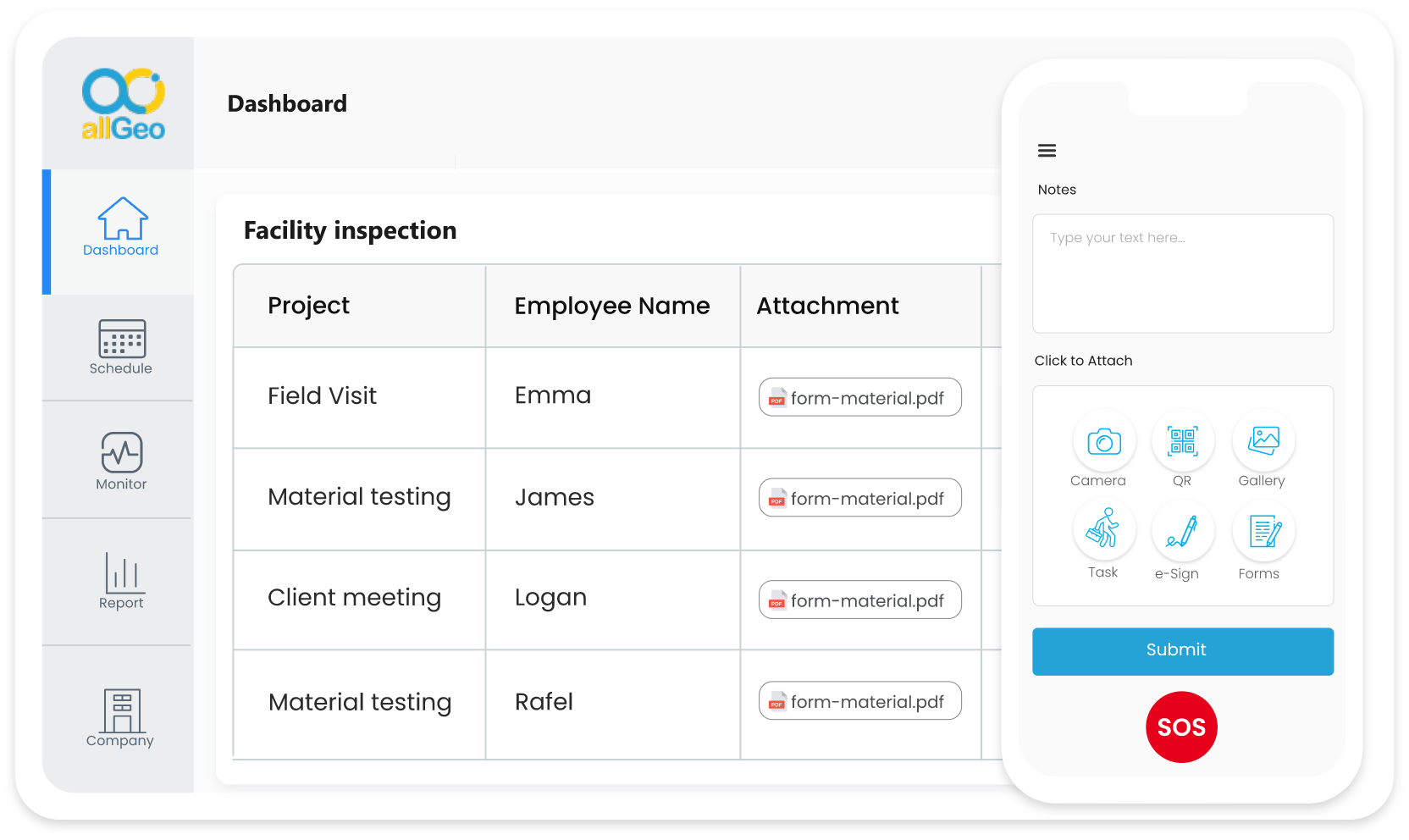
Field Data Collection
Works Offline

Support in remote areas with No or poor connectivity. You’ll never miss a check-in!
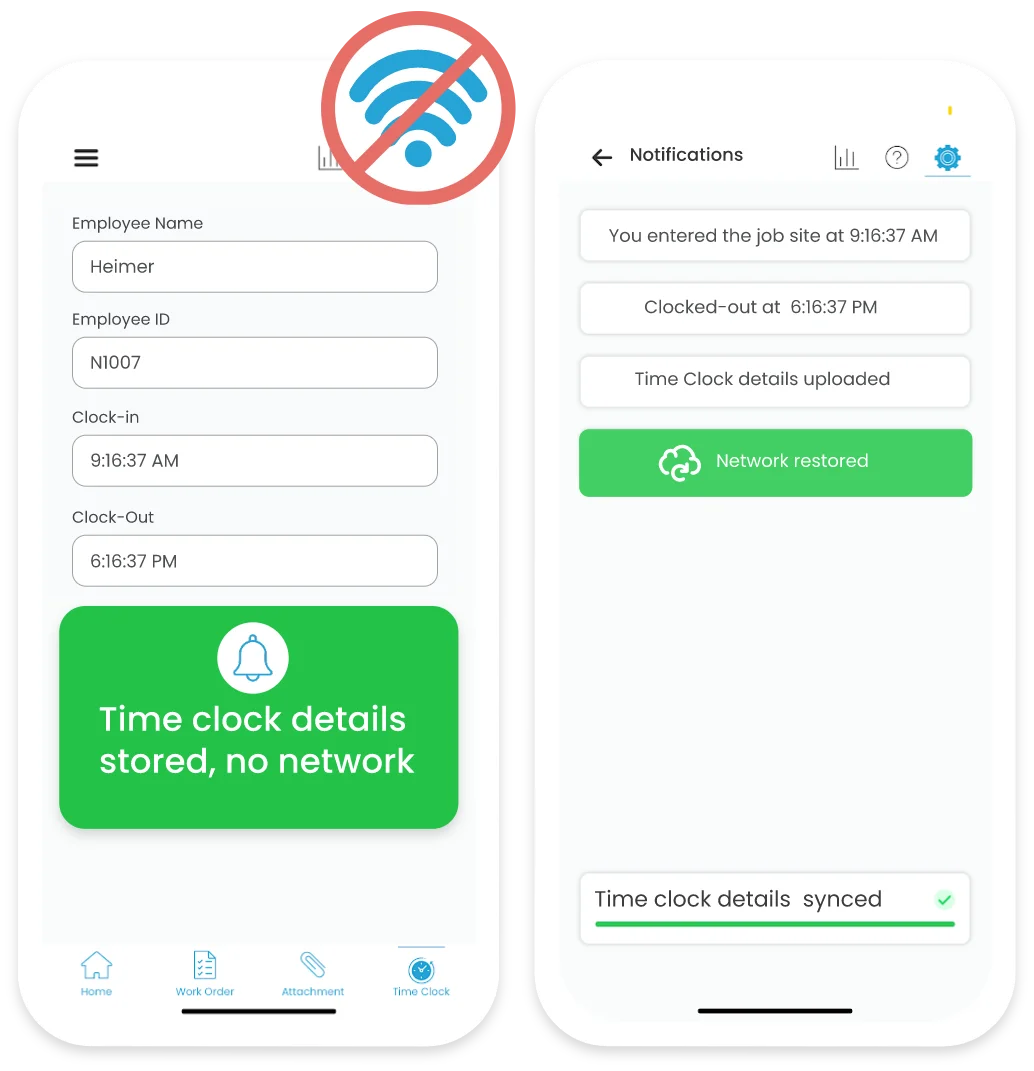
works-offline
Over-time and Billable Hours

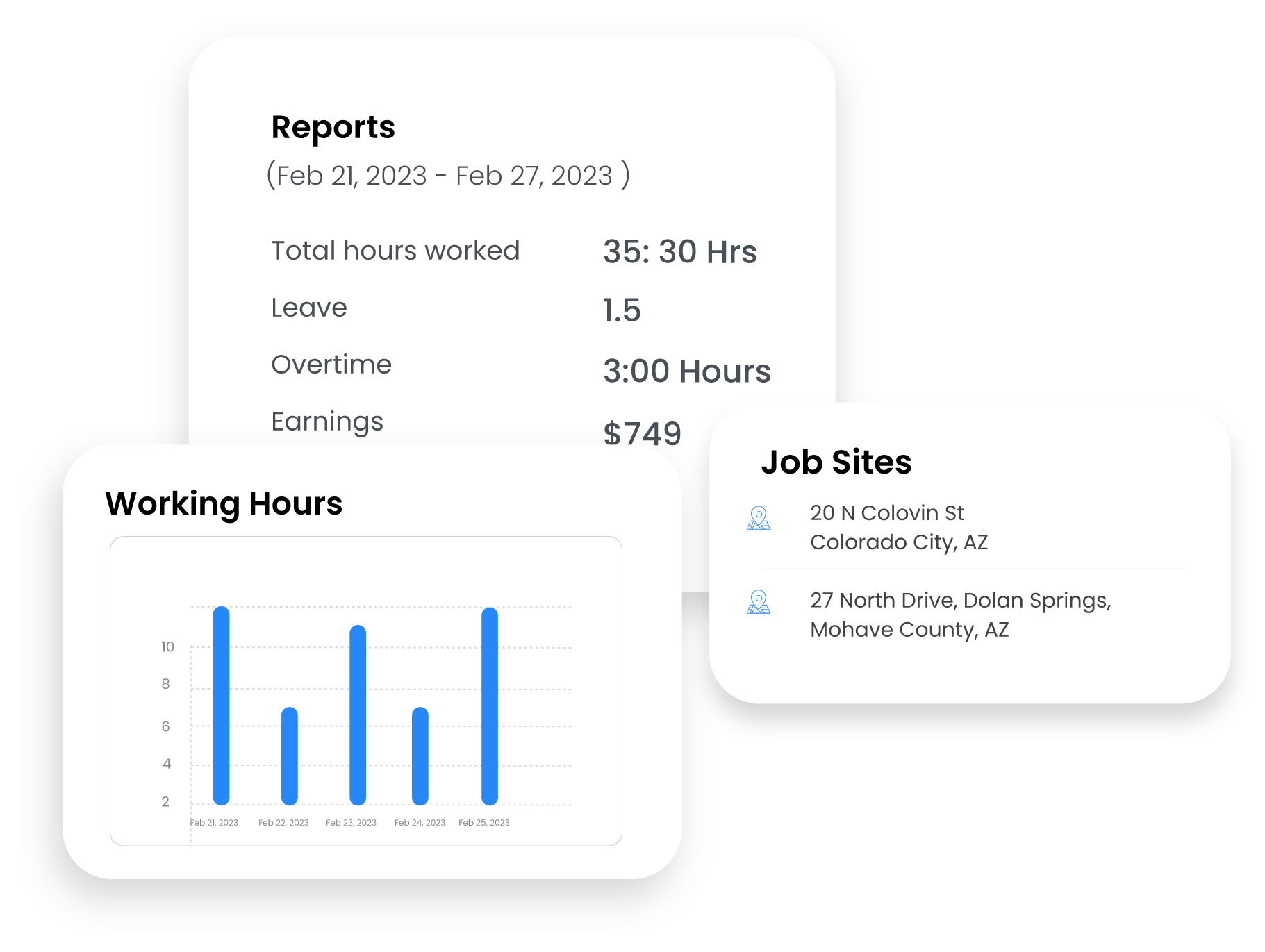
Accurately track over-time and billable hours to streamline payroll and project costing.
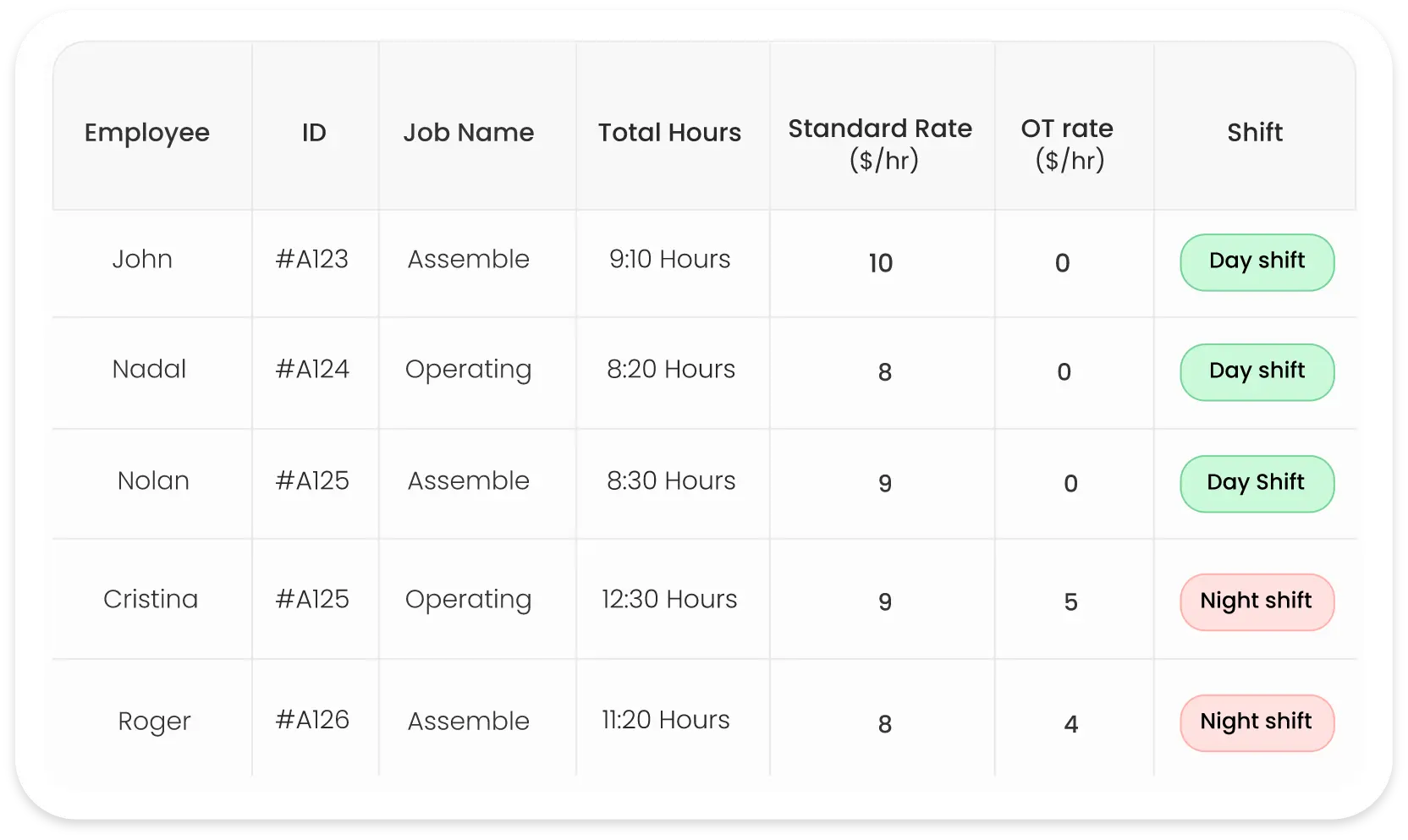
Over-time and Billable Hours
Geo-Tagged Communication

Communicate with mobile employees in real-time via SMS, Email or App
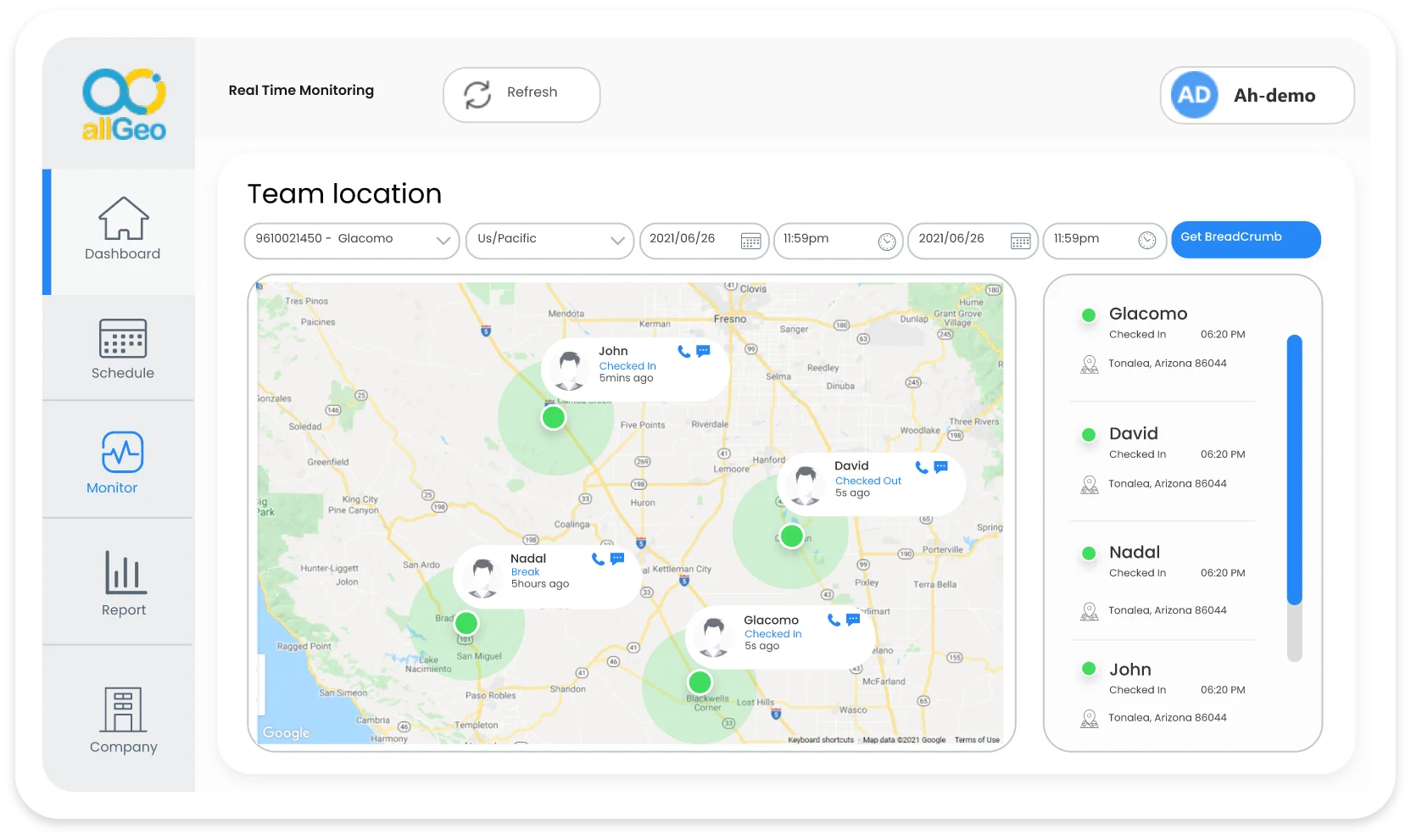
Geo-Tagged Communication

Ready to experience the best time tracking software for construction?

Optimized Construction Management Solutions
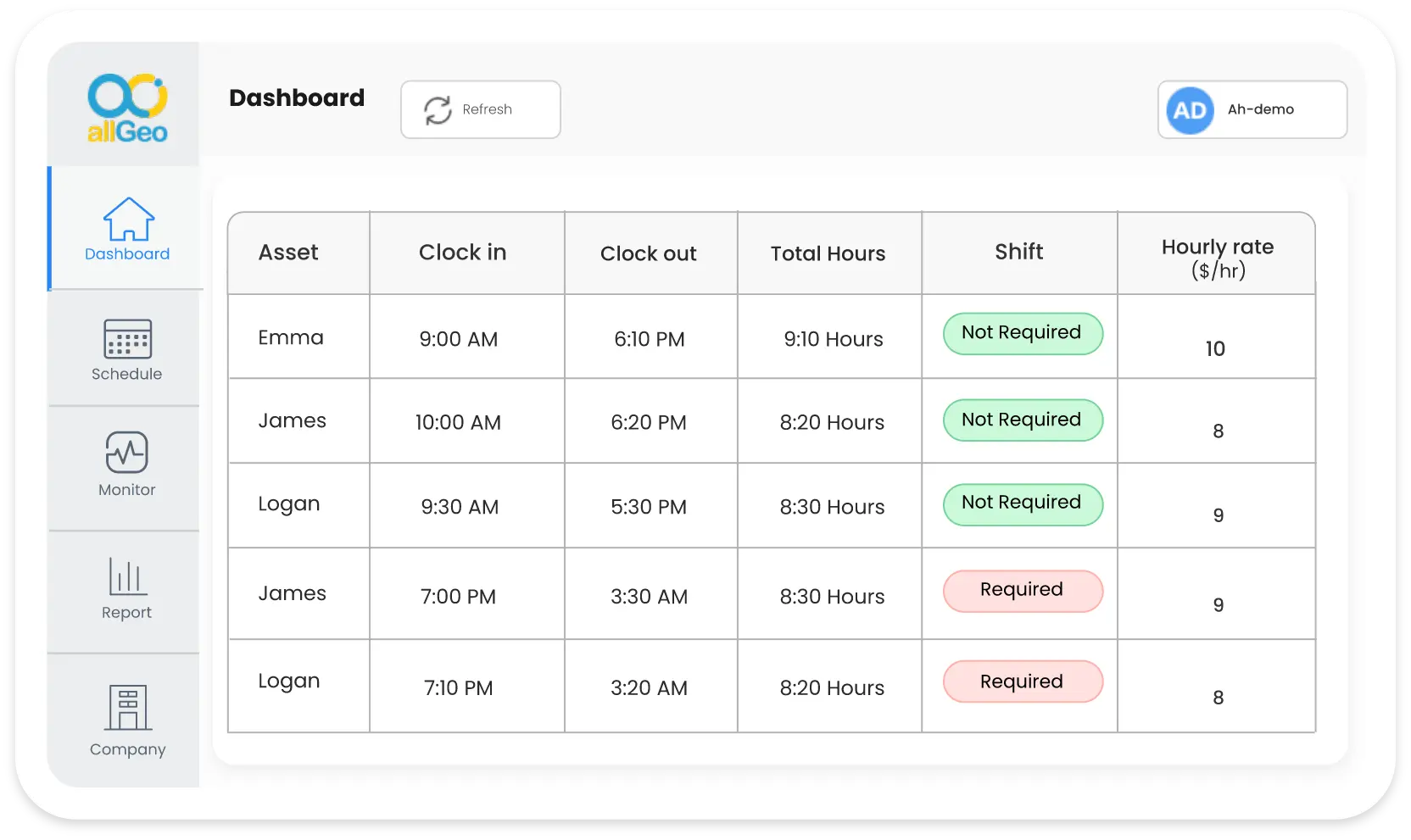
Dynamic Pay Rates

Dynamic Pay Rates

Dynamic Pay Rates

Manage compensation based on routes taken or hours worked, ensuring fair pay for varied job site complexities.

Asset Management
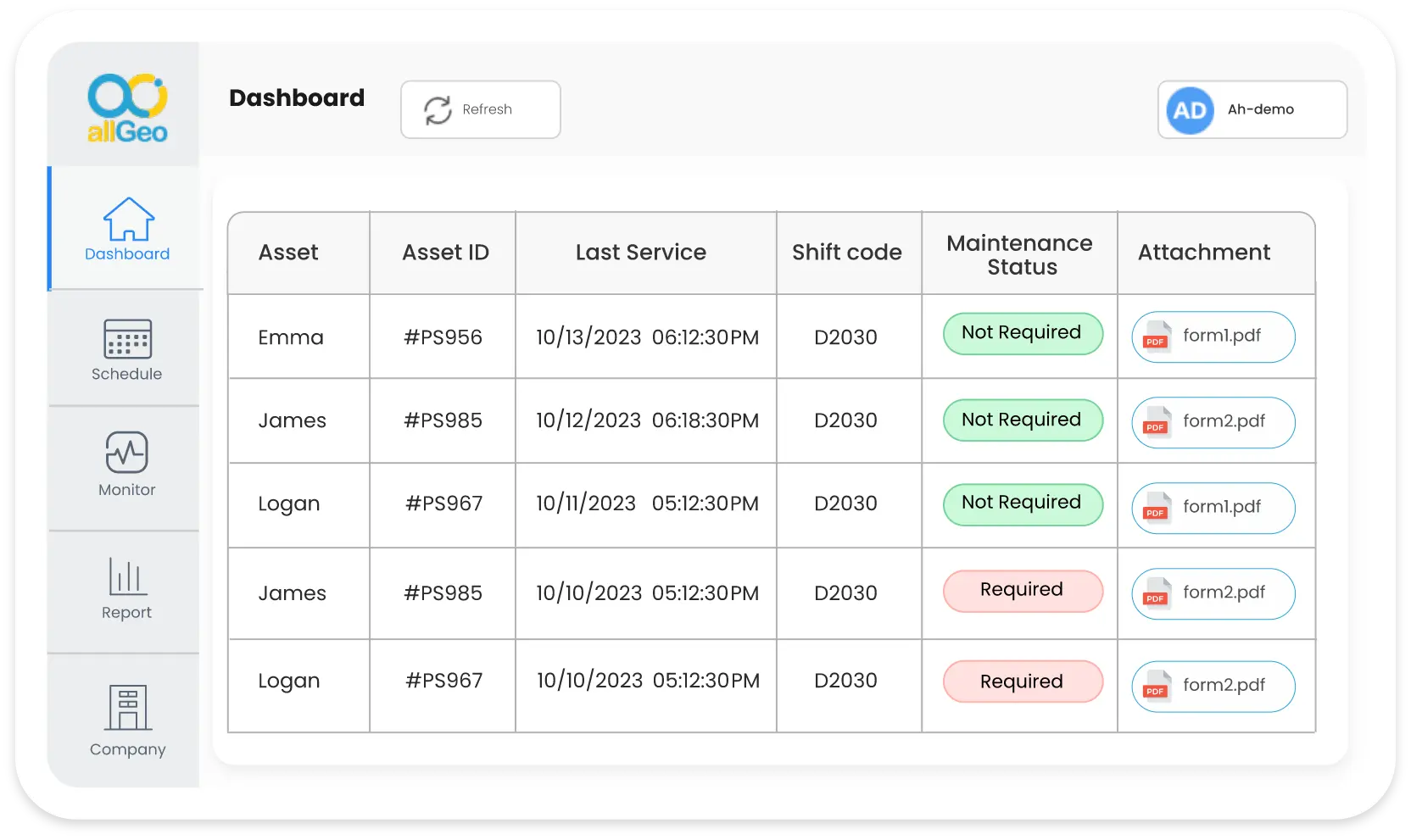
Asset Management

Comprehensive equipment inspection logs with forms and images for proactive maintenance and compliance.
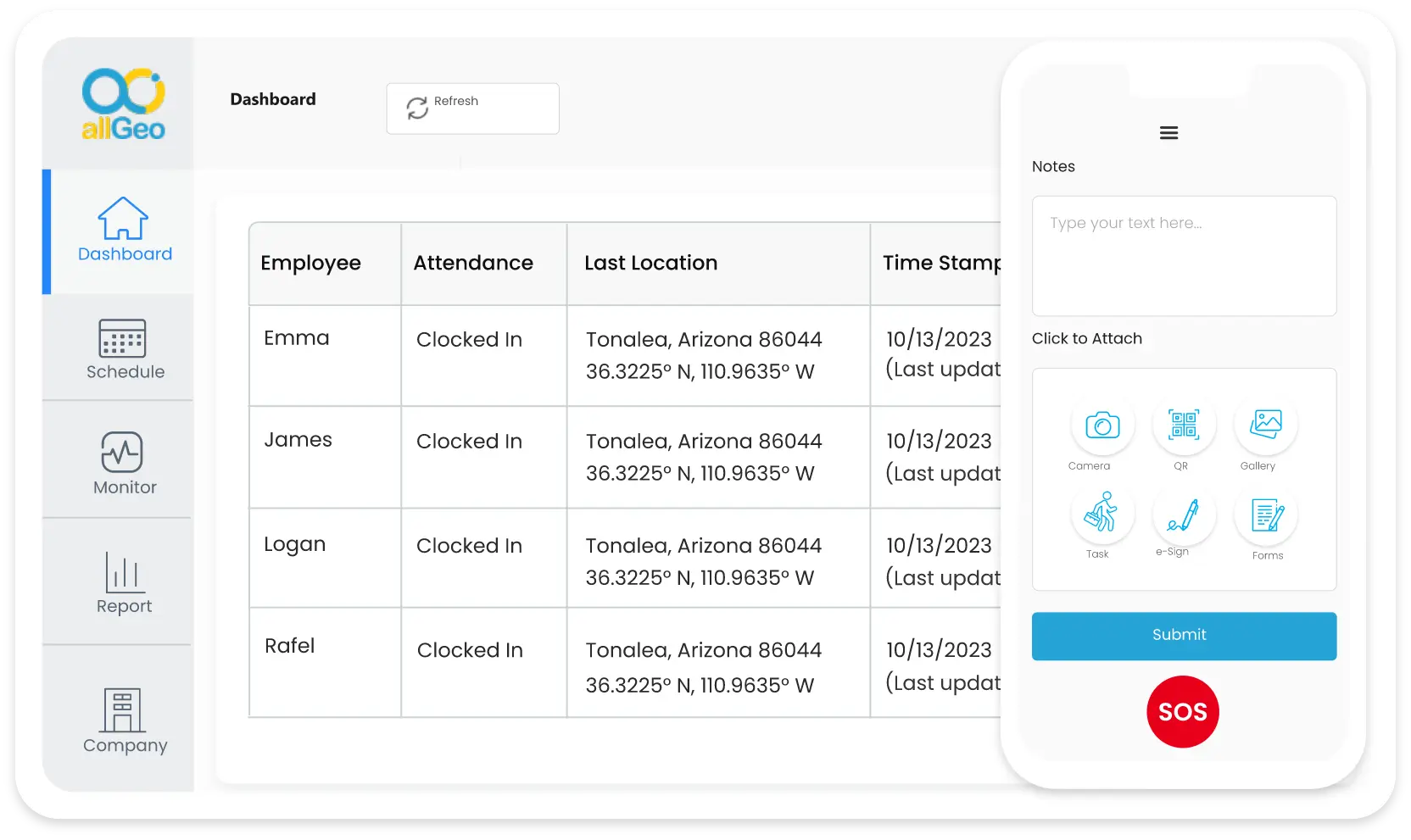
Asset Management
Centralized Field Activity Tracking

Centralized Field Activity
Tracking

Centralized Field Activity Tracking

Monitor real-time field activities—time, forms, QR codes, and photos—from a single platform, enhancing efficiency and accountability.

Insightful Reporting Tools
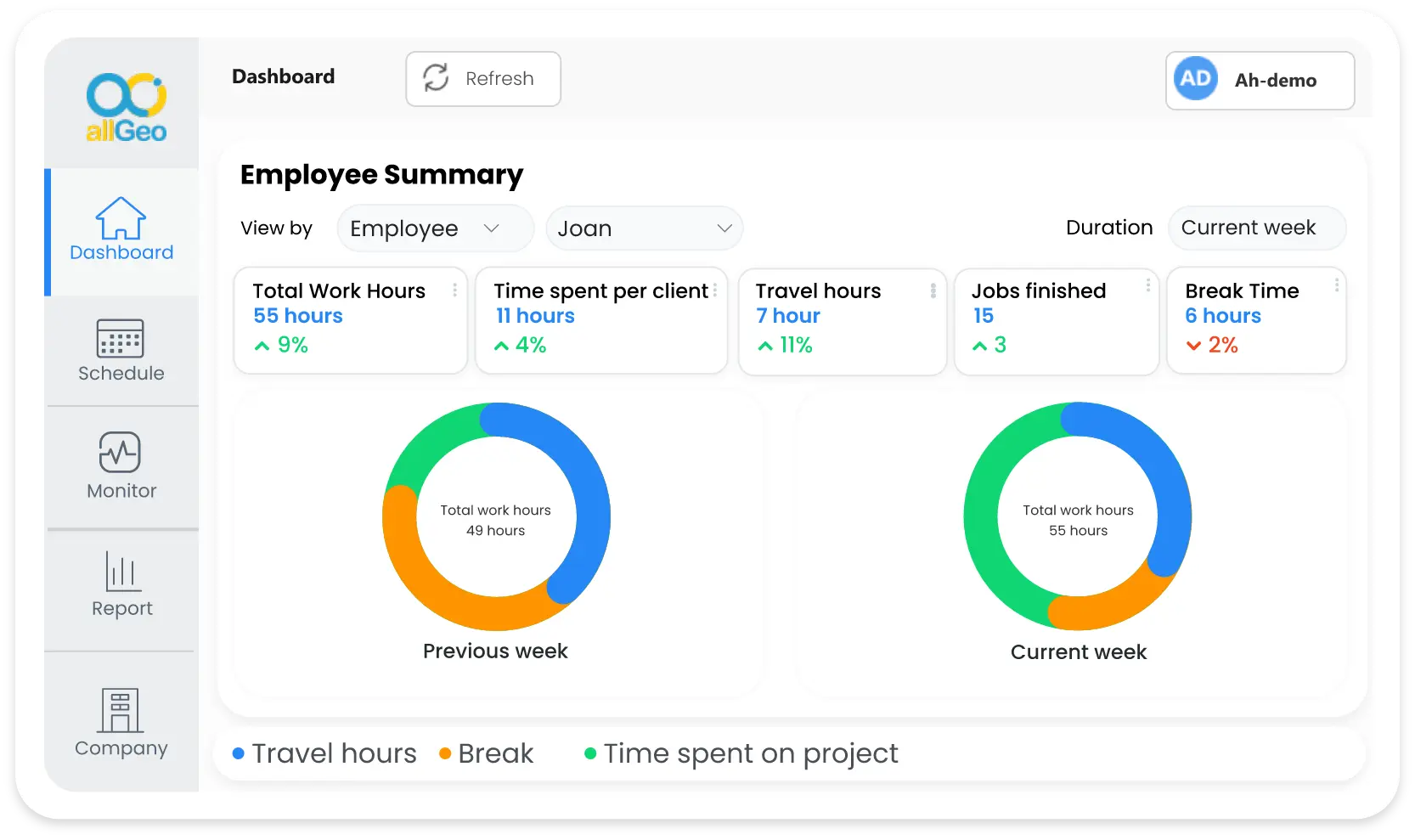
Insightful Reporting Tools

Access customizable reports for route efficiency, equipment conditions, and workforce productivity, empowering data-driven decision-making.

Insightful Reporting Tools

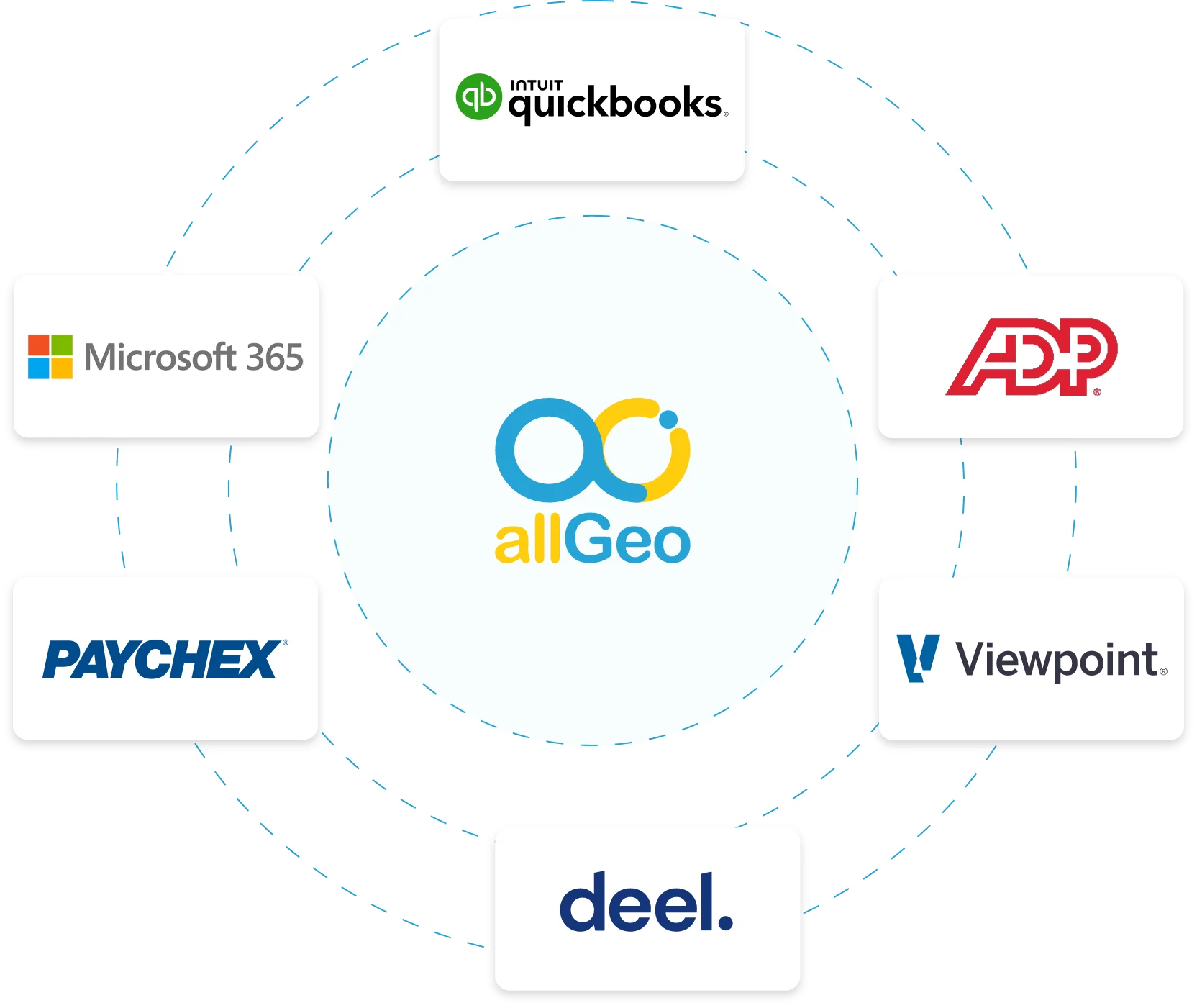
Easy integration

allgeo

allGeo integrates with many commonly used payroll systems, so you do not need to manually import data into your payroll system which can often result in errors. In addition to direct exchange of data into your payroll system, you can export timesheets in any format—Excel, CSV, etc.

Explore time-tracking workflow to improve your construction operations efficiency

Construction Case Study

January 08, 2024

allgeo

allGeo integrates seamlessly with Viewpoint, optimizing Job/Phase Code tracking and enhancing data insights from extraction to reporting.

Read more construction

Construction Case Study

May 30, 2022

allgeo

Having been in the industry for over 120 years, this customer has established a presence in all 50 states and over 60 countries. Additionally, they have six

Read moreconstruction

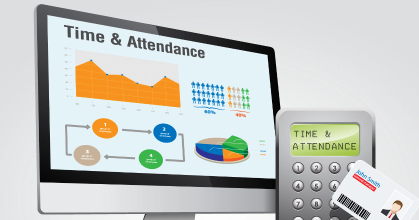
Time and Attendance Workflow

June 17, 2022
allgeo

The company from the Janitorial industry wanted to manage their field staff more efficiently with less manual process.

Download workflow

QR code Time and Attendance

November 10, 2022
qr

The vegetation management company wants to reduce the manual process of employee management process.

Download workflow

Explore time-tracking workflow to improve your construction operations efficiency.

Contact Us

By submitting this form, I certify that I have read and agree to the allGeo Terms of Use and understand that my personal information is processed in accordance with Privacy Statement.

Submit

What Our Customers Say

I like using this software for tracking and monitor field employees. This is good for our purposes, but also for allowing the technician to verify where they are at any given time.

Joshua G
Technical Service Systems Specialist
Medical Devices


Overall Rating

4.0
Ease of Use

5.0
Customer Service

5.0
Features

3.0
Value for Money

5.0
Recommend
 
8/10
"Great product"

My experience has been overwhelmingly positive. I appreciate that the team at allGeo is super responsive and ready to assist. I tested this product from day one, implemented it's use, and administer our account. My questions have always been answered promptly, training was provided to me with set up, and I can rely on the team to provide support. The reporting features, customer service and reliability.

Kim S
Asset Protection and Auditing Analyst
Telecommunications


Overall Rating

5.0
Ease of Use

5.0
Customer Service

5.0
Features

5.0
Value for Money

5.0
Recommend
 
10/10
"A great accountability tool"

It does the job, and it is well supported Having a source to go back to in case a problem develops

Frederic H
CEO
Wholesale


Overall Rating

4.0
Ease of Use

5.0
Customer Service

5.0
Features

4.0
Value for Money

4.0
Recommend
 
10/10
"Great Tool"

Great experience, software has helped streamline payroll by providing virtual time lock. No lost hours. Geofencing for timeclock, helps maximize hours by our service team and prevent shrink

Scott D
Director, Sales
Consumer Goods


Overall Rating

5.0
Ease of Use

5.0
Customer Service

5.0
Features

4.0
Value for Money

5.0
Recommend
 
10/10
*Published by Field technologies Online on August 31, 2022 Read allGeo reviews on Capterra

Frequently asked questions

What is Construction Time Tracking Software, and How Does it Benefit Projects?

allGeo construction time tracking software enables efficient management of labor hours, project schedules, and workforce productivity. It ensures accurate timekeeping, aids in payroll management, and optimizes project timelines. By automating clock-in/clock-out processes, it streamlines operations, enhancing overall project efficiency.

How Does allGeo's Viewpoint Integration Streamline Construction Management?

allGeo seamlessly integrates with Viewpoint, streamlining construction management by syncing labor hours, project schedules, and crucial data. This, coupled with compatibility with tools like ADP, SAGE, and Deel, offers a comprehensive solution for efficient workforce and project management in the construction industry.

How Does Construction Scheduling Software Enhance Project Timelines?

Construction scheduling software aids in efficient project planning, resource allocation, and task management. It enables optimized scheduling, allowing for better coordination among teams, reducing delays, and ensuring timely project completion.

Why use Timesheets App or Time Clock for Construction Projects?

A timesheet app or time clock for construction provides an automated and accurate method for tracking employee work hours, overtime, and billable hours. This ensures precise payroll processing, adherence to labor regulations, and effective cost management.

What Are the Benefits of Dynamic Pay Rates in Construction Management?

Dynamic pay rates allow for flexible compensation based on job site complexities or hours worked. This feature ensures fair remuneration, incentivizes efficient routes, and helps control costs while maintaining equitable pay scales for various tasks.

How Does Asset Management Software Assist in Equipment Maintenance and Compliance?

Asset management software facilitates comprehensive equipment inspection logs, including forms and images. This feature ensures proactive maintenance, compliance with safety regulations, and efficient asset utilization within construction operations.

How does Accurate Time Tracking help with Payroll and Job costing?

When hours worked by employees in the field are captured accurately along with pay codes for the tasks they performed, that information can flow directly into payroll systems for accurate payroll processing. The same information can also be sent to accounting/ERP systems for accurate job costing.

What Insights Can Reporting Tools Offer in Construction Management?

Insightful reporting tools provide customizable reports on route efficiency, equipment conditions, and workforce productivity. These reports empower data-driven decision-making, offering valuable insights for optimizing project management strategies and resource allocation.

Can the Construction Time Tracking Software Function in Remote Areas with Poor Connectivity?

Yes, allGeo's construction time tracking software operates seamlessly in remote or low-connectivity areas. Its offline functionality ensures that employees can check in/out, capture essential data, and maintain productivity even without consistent network access, ensuring uninterrupted operations across diverse job sites.

How Does Geo-Tagged Communication Benefit Construction Project Management?

Geo-tagged communication in construction management allows real-time interaction with mobile employees via SMS, email, or the app. This feature ensures efficient communication relevant to specific job sites, enhancing coordination, resolving issues promptly, and maintaining seamless workflow across the construction team.

How Does Centralized Field Activity Tracking Improve Accountability and Efficiency?

Centralized field activity tracking consolidates real-time data on time logs, forms, QR codes, and photos within a single platform. This streamlined approach enhances accountability by ensuring accurate records of employee activities, boosts efficiency through data-driven decision-making, and facilitates better resource management throughout the construction process.

allGeo.com

  • Platform
  • Demo
  • Apps
  • Contact Us

    This email address is being protected from spambots. You need JavaScript enabled to view it.

    +1-(415) 496-9436

Company

  • About Us
  • Why Us
  • Become a Partner
  • Customers
  • Pricing

What is

  • EVV for Homecare
  • Field Service Automation
  • Time & Attendance
  • QR code Based Tracking

Resources

  • Terms of Use
  • Privacy Policy
  • FAQs
  • Blog
  • News
  • Help Center
  • Sitemap

Connect

allGeo facebook

allGeo Twitter

allGeo LinkedIn


Explore allGeo

allgeo google-play allgeo app store

Copyright © 2 Abaqus Inc.

Terms of Use Privacy Policy Sitemap